We checked 109 Florida Keys charter websites. Here's what was broken.
We went through 109 Keys charter websites on a phone, the way a guest would. Here are the seven problems we kept finding, how many sites had each, and how to check yours tonight.

Nick Brisson
Co-founder, Sales & Client Success ·
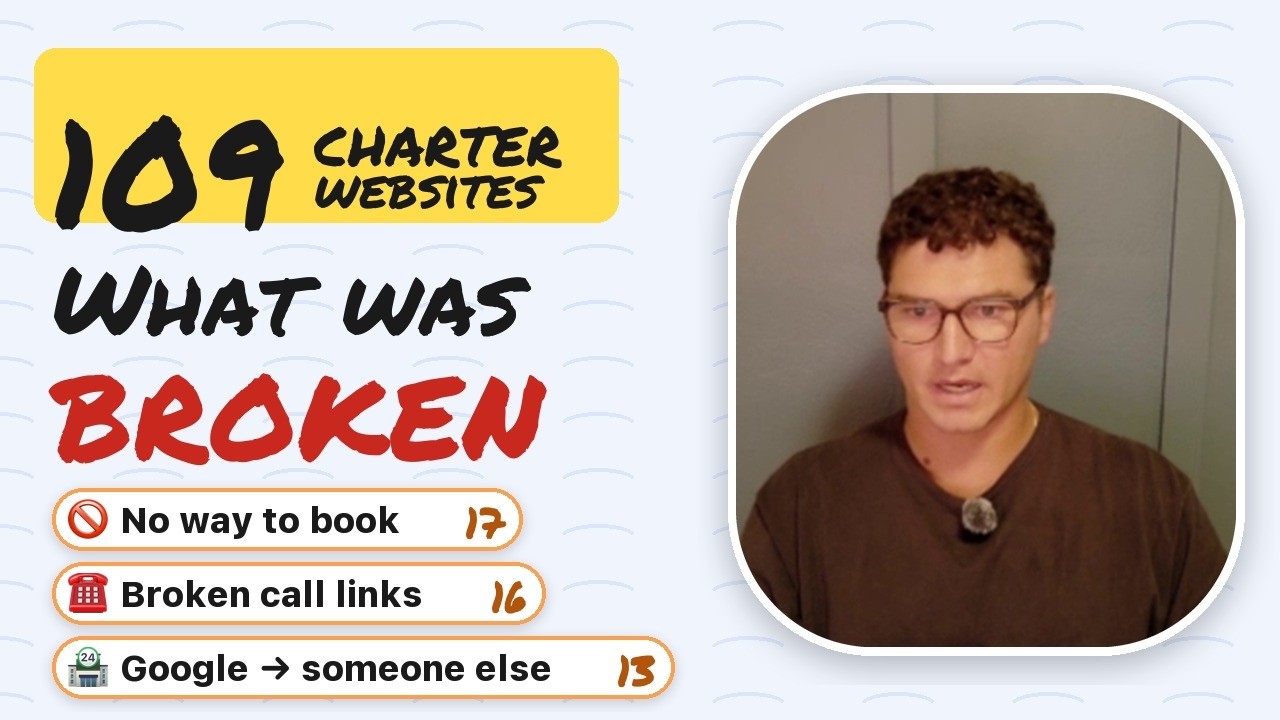
In October we went through 109 charter websites in the Florida Keys, one by one, on a phone, the way a guest would.
I’m not naming anyone. This is about the mistakes, and we kept finding the same seven over and over. Most of them are quick fixes once you know they’re there.
The video above runs about eight minutes. Below are the same seven problems, how to fix each one, and a checklist you can run on your own site tonight.
Here’s the count. One site could have more than one of these.
| What we found | Sites out of 109 |
|---|---|
| No way to book online | 17 |
| Broken call or email links | 16 |
| Google’s Book button goes to someone else | 13 |
| Dead, expired or missing website | 11 |
| Booking button broken or on the wrong trip | 10 |
| Leftover template text | 10 |
| Review problems | 9 |
1. No way to book online (17 sites)
A lot of sites have a Book Now button that goes to a contact page. The owner knows guests want to book online, so the button promises it, and then the guest lands on a form.
If you’ve ever filled out one of those forms, you know how it goes. You get no confirmation and no idea when you’ll hear back, if you ever do. On the charter’s end, the request lands in an email inbox and gets buried, along with the spam these forms pick up.
The fix is a Book Now button that goes to a real booking page, where you collect the guest’s information and their money on the spot and the trip is secured. If you don’t have booking software yet, start with what FareHarbor costs and the alternatives.

2. Broken call or email links (16 sites)
This one’s a heartbreaker. I talked to a captain who had paid $1,850 for a brand new website. An agency launched it a couple of months earlier, and he told me he hadn’t gotten anything from it.
The number on the page read correctly. But when you tapped it, your phone dialed a number one digit off. He didn’t have online booking either, so guests were probably tapping to call, and all of them were dialing the wrong number.
That’s how this one hides. The number you see and the number your phone dials are two separate things on a web page: the text, and the link behind it. Someone types each one, so the text can be right while the link is wrong, and you’d never catch it by reading the page. Email links work the same way.
We found 16 sites with a wrong number, a wrong email address or a link that didn’t work. Testing these is basic stuff your agency, or whoever handles your website, should be doing for you. If they’re not, find someone new.
3. Google’s Book button goes to someone else (13 sites)
On 13 businesses, the Book button on their Google listing sent guests to someone else. One we looked at went to Viator. So a reseller sits in front of your business, collects the booking before you do, and you pay out commission.
Viator can be worth paying for guests who’ve never heard of you. But this is someone who searched your name. That guest was already yours.
Your own booking page can sit on that list too, labeled Official site, and if you’re on FareHarbor it’s free to set up. Here’s how Google Things to Do works. Our six Google profile fixes cover the booking links on your profile.
4. Dead, expired or missing website (11 sites)
A working website that takes online bookings should be the starting point of your business. Eleven of the 109 had some version of this problem.
Some had no website on their Google listing, so a guest had nowhere to go. We found GoDaddy parked pages, Wix sites that weren’t connected, and Squarespace sites still showing the Squarespace icon. One old web address redirected to a gambling website. That captain has since signed up with us, and we’re getting him a new site so that doesn’t happen again.
Web addresses expire. When one lapses, someone else can buy it, and any listing or flyer that still shows it sends guests to whatever’s there now. Turn on auto-renew with a card that’s good for a while. If you’ve moved to a new address, keep paying for the old one and forward it to your new site.
5. Booking button broken or on the wrong trip (10 sites)
These sites did have online booking, usually through FareHarbor. It just didn’t work right.
We saw a lot of prices that didn’t match. The site says $1,000, the guest gets to FareHarbor and it’s $1,100 or $1,200. That makes guests angry, or it makes more work for you when they call to ask, and now you’re deciding whether to honor the price on your website.
The other version is a closed calendar. You tap a trip and FareHarbor shows nothing open. One captain told me he hadn’t had a booking on a trip in eight months. He didn’t know the calendar wasn’t open on those dates.
Whenever you change a price or a season, change it in both places, then tap through it yourself. A lot of captains don’t know how to change the prices on their website, or don’t have the time, and I get it. That’s where we come in. We keep the site up to date, and we get manager access to your FareHarbor to make sure everything is cleaned up and working.
6. Leftover template text (10 sites)
This one’s minor, but we saw it a lot: “Proudly created on Wix” at the bottom of the page. It makes a website look a little amateurish, so take it off, or ask whoever built the site to.
7. Review problems: the FishingBooker trap (9 sites)
This is a big one. We see a lot of captains with tons of reviews on FishingBooker and one on Google.
FishingBooker gives you business, and it can be worth paying for. But you have to play ball with them. They could change their fees. You don’t own the customer data. And every review you build up there makes their business stronger, not yours.
On your own website, you control the bookings and all of the customer information. If you’ve run 100 trips in the last few months, you can reach out to those guests when you’re slow: “Want to go out again? I’ll give you an extra hour of fishing free if you book this weekend.” You can’t do that when FishingBooker is holding the data.
The fix is to text every customer who comes out on a trip and ask for a Google review. Google says more reviews and positive ratings can help your local ranking, which is how people searching for fishing charters in your area find you and book on a website that works. Here’s what to send and when.
Check your own site tonight
Walk any dock and you can spot the boats with frayed lines, the ones that look run down. Guests do the same thing online, and your website is the dock they’re walking.
So open your site on your phone tonight and go through it the way a guest would:
Try to book a trip
Tap Book Now on your homepage. If you land on a form instead of a page where you can pick a date and pay, that’s problem 1.
Tap every number and email link
The top of the page, the bottom, the contact page and every trip page. Let each call ring through, and send a test email.
Search your own business name on Google
Tap the Book button and the website link on your listing, and see where each one goes.
Type in your web address
Try it with and without the www, and try any old address you’ve used. Then look up when your domain renews.
Open every trip
Compare the price on your site with the price on the booking page, and make sure dates are open, including next season.
Scroll to the bottom of every page
Look for “Proudly created on,” “Powered by,” placeholder text and a site builder’s icon in the browser tab.
Count your reviews
Google against FishingBooker. If most of them are on someone else’s site, start asking for Google reviews on your next trip.
The trip starts online, with the booking. The fishing and the time on the water are 95% of it, and you can make a lot up out there. But the other 5% still counts, and the easier you make it for someone to get out with you, the better.
If you’d like us to go through your site the same way, book a call.